Digital Billing in Custom Construction: A 2026 Guide

Digital billing in custom construction means managing invoicing, payment tracking, and supporting financial documentation through a connected system instead of scattered spreadsheets, emails, and paper forms. Construction firms can lose huge amounts of time to billing lag and collections follow-up. Platforms like Procore, Ressio, and other construction billing tools exist because faster invoice delivery alone is not the whole story. The real win is tighter coordination between field progress, office records, and payment status.
How does digital billing improve cash flow in custom construction?
Cash flow is one of the sharpest pressure points for custom builders. A delayed invoice becomes a delayed payment, which means labor and material costs keep moving while money stalls in the approval process.
Digital billing helps by tightening timing, reducing manual errors, and making follow-up more systematic. Contractors who submit pay applications within a few days of period close collect materially faster on average. That means less waiting and less guesswork around what is still outstanding.

The contrast with manual processes is stark. Manual subcontractor payments often stretch because of missing documentation, manual data entry mistakes, and broken handoffs between the field and office. That is not just a payment problem. It is a workflow problem that digital billing helps fix.
Here is what digital billing does for cash flow in practice:
- Automated invoice submission reduces lag between milestone completion and billing.
- Payment status visibility lets owners, GCs, and subs see where an invoice sits in the approval chain.
- Automated follow-up reminders reduce the time spent chasing missing approvals and late payments.
- Integrated payment flows shorten the path from invoice review to actual collection.
Pro Tip: Set your billing process so submissions go out within 24 hours of a billing period close. Consistency matters more than fancy tooling.
What digital billing features are essential for custom builds?
Not every invoicing tool works for custom construction. Generic accounting software often misses the construction-specific workflows that drive billing accuracy on a custom build.
AIA G702/G703 pay application automation
The AIA G702 and G703 forms are standard for progress billing on many construction projects. Automating these standard billing documents helps align billing with contract scope and can reduce unnecessary review friction.
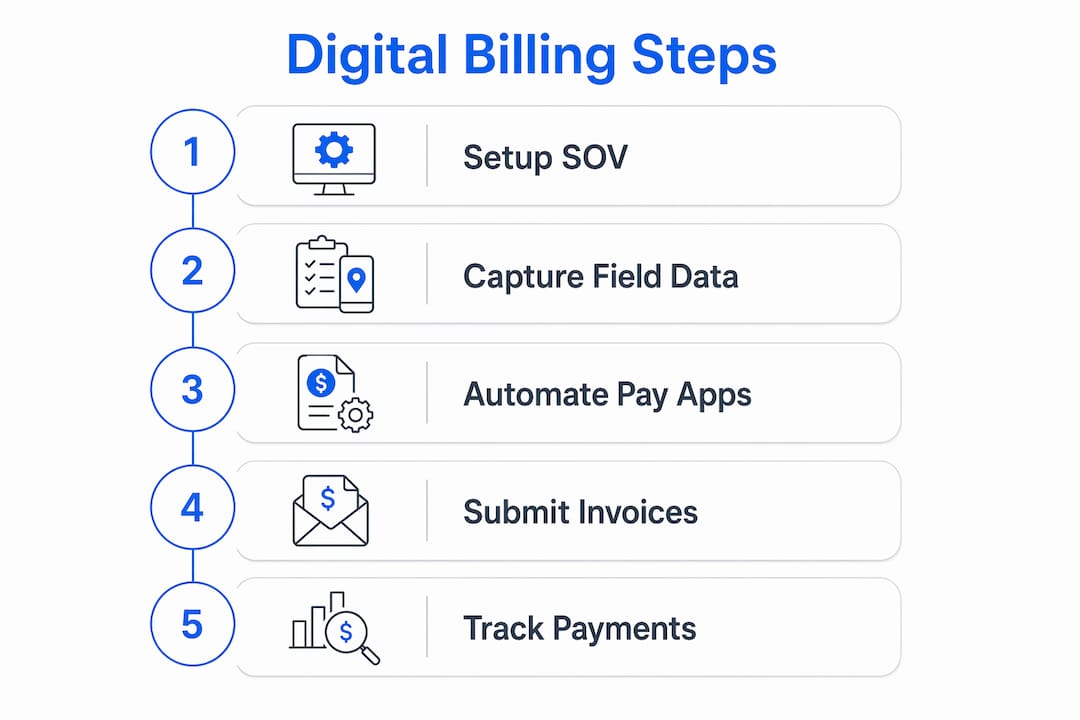
Schedule of values management
The Schedule of Values is more influential than the invoice itself in preventing payment disputes. A well-structured digital SOV sets expectations for each billing line item before invoices start moving. That reduces “surprise” moments that trigger revisions or withheld payment.
Mobile field data capture
Digital billing works best when field data feeds directly into billing workflows. Integrating mobile field capture for photos, timecards, and delivery records reduces administrative lag caused by manual handoffs between crews and the office.
Here is a comparison of essential features:
| Feature | What It Does | Why It Matters for Custom Builds |
|---|---|---|
| AIA G702/G703 automation | Generates standard pay applications automatically | Reduces formatting friction and speeds review |
| SOV management | Tracks billing against contract line items | Reduces disputes and surprise line items |
| Mobile field capture | Pulls photos, timecards, and receipts into billing support | Reduces manual handoffs and missing backup |
| Lien waiver tracking | Manages compliance documents alongside invoices | Keeps payment packages more complete |
| Automated approval routing | Sends invoices through the right review chain | Cuts avoidable delay between submission and payment |
Pro Tip: Attach lien waivers, delivery receipts, and any required backup before submission. Reviewers approve faster when everything is already in one place.
Digital billing vs. manual billing: error reduction and transparency
Manual billing in custom construction creates three recurring problems: data entry mistakes, lost paperwork, and poor visibility into payment status. Each one slows a project and strains trust with clients and subcontractors.
Data entry errors are a common reason pay applications get kicked back. A wrong number on a Schedule of Values line or a missing waiver can add days or weeks to the cycle. Digital systems help by embedding required fields and expected attachments into the workflow itself.
Digital billing also creates a stronger single source of truth between the field and office. That matters most on custom builds, where scope changes are frequent and billing has to reflect the current state of the project, not what was planned months earlier.
Transparency is the other major gain. When a GC or owner can see which invoices are approved, pending, or disputed, the whole tone of the project changes. Fewer “where is this?” calls. Fewer mysteries. Faster decisions.
How do you transition to digital billing on custom construction projects?
The transition to digital billing on custom builds is a behavior change first and a technology change second. Focusing on data visibility rather than just paperwork reduction is what separates teams that modernize successfully from teams that only digitize the surface.
Follow these steps to make the switch stick:
- Audit your current billing workflow. Map every step from invoice creation to payment receipt. Identify where delays happen and where documents get lost.
- Choose a construction-specific platform. Construction-centric billing software aligns better with pay applications, retainage, and supporting documentation than generic tools do.
- Centralize supporting documents. Digitizing invoice transmission without centralizing the backup still leaves a bottleneck.
- Set automated billing schedules. Remove the human “remember to invoice” step wherever you can.
- Engage subcontractors early. Adoption improves when the process saves them time instead of adding confusion.
- Use a clean invoicing and collection workflow for smaller jobs. Tools like Tendr.me can simplify invoice creation, payment requests, and tracking for smaller construction operators that do not need a giant platform.
Pro Tip: Do not wait for a mandate or crisis to modernize your billing workflow. The faster process payoff shows up long before regulation does.
Key takeaways
Digital billing in custom construction reduces payment-cycle drag, cuts manual error, and improves financial visibility across a project.
| Point | Details |
|---|---|
| Cash flow acceleration | Prompt digital submissions collect faster than loose manual workflows. |
| SOV as the foundation | A clean digital Schedule of Values reduces disputes before invoices move. |
| Field-to-office integration | Mobile data capture reduces missing backup and billing lag. |
| Behavior change first | Successful transitions focus on visibility and process discipline, not just software. |
| Centralized documentation | Keeping waivers and receipts attached removes common review delays. |
What I’ve learned after watching builders chase payments for years
The most common mistake I see construction project managers make is treating digital billing as a software problem. They buy a platform, set it up, and then wonder why payments are still slow. The platform is rarely the actual blocker. The workflow is.
The builders who get paid faster are the ones who redesign their billing process before they pick a tool. They define billing periods, map approval chains, and make supporting documentation requirements explicit. The software then automates a process that already makes sense.
The other thing people underestimate is how much the Schedule of Values matters. A detailed, well-structured SOV means everyone has already agreed to the shape of the billing before the invoice shows up. That removes surprises, and surprises are what trigger disputes.
Start simple. Tighten the process. Then add more complexity only when your project volume actually calls for it.
— Carrie Cash
Stop chasing payments on your custom builds
If you are still cobbling together invoices in spreadsheets and collecting payments through Venmo or Zelle, you are making billing harder than it needs to be.
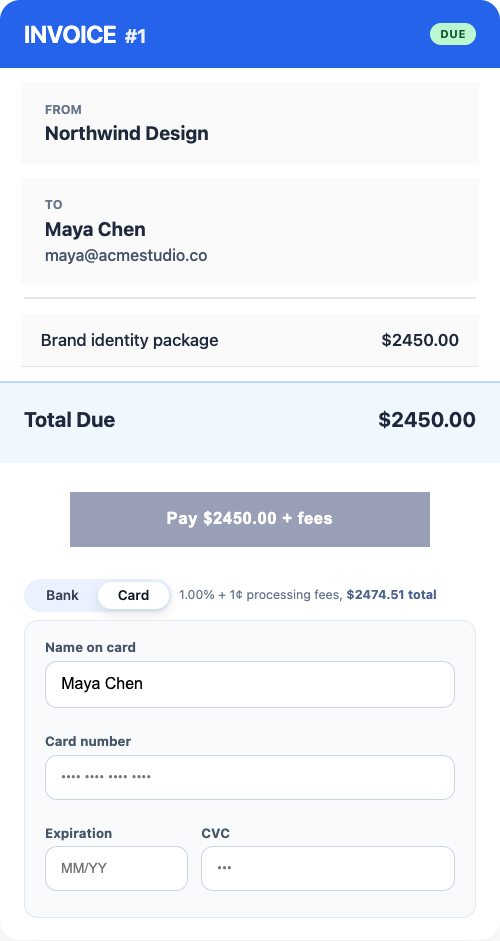
Tendr.me gives smaller builders and project managers a free, professional way to send invoices and collect payments without stitching together consumer apps and spreadsheets. It keeps records cleaner, makes payment requests look more professional, and shortens the distance between work completed and money collected.
FAQ
What is the role of digital billing in custom construction?
Digital billing automates invoicing, payment tracking, and supporting documentation across custom build projects. It helps connect field progress data to office financials and reduces avoidable billing delay.
How much time does digital billing save contractors each month?
That depends on current workflow quality, but the main savings usually come from fewer follow-up hours, fewer missing-document revisions, and faster invoice handling.
What is a schedule of values, and why does it matter for digital billing?
A Schedule of Values is a line-item breakdown of contract costs tied to billing milestones. A digital SOV sets expectations up front and reduces the disputes and revision cycles that slow payment.
How does digital billing reduce subcontractor payment delays?
It improves submission timing, centralizes required backup, and makes approval routing clearer. The result is fewer preventable delays caused by missing documents or unclear status.
Do subcontractors resist switching to digital billing systems?
Resistance usually drops when the system matches how they already work and clearly helps them get paid faster. People resist friction more than they resist technology itself.