Digital Payment Requests Explained for Freelancers

A digital payment request is an electronic message that embeds a direct payment link, letting your client pay immediately without a separate invoice or cash exchange. The industry standard term for this is a payment request, and it travels via SMS, email, WhatsApp, or QR code to a branded checkout page where the client completes the transaction in seconds. Tools like Stripe Links, PayPal, and Square have made this workflow standard for modern service businesses. For freelancers and small service providers, understanding how this works is the first step toward getting paid faster and keeping cleaner records.
What is a digital payment request, exactly?
A digital payment request is a digital message with an embedded payment link that connects your client directly to a checkout page. You set the amount, add a reference, and send it. The client clicks, pays, and you get instant confirmation. No phone calls. No chasing.
The term “payment request” is the recognized industry phrase. You may also hear “pay-by-link” or “mobile payment request” depending on the platform, but they all describe the same core process. What makes it different from a standard invoice is the embedded payment method. The client does not need to log into a bank portal or write a check. The payment option is right there in the message.
Digital payments process through a payment gateway that captures card or bank data securely, then routes it through a processor for authorization and settlement. That entire sequence happens in the background while your client sees a clean, simple checkout screen.
How do digital payment requests work?
The digital payment request process has five clear steps. Each one is faster than its manual equivalent.
- Create the request. You enter the payment amount, a short description, and your client’s contact info inside your chosen platform. Tools like Stripe Links, Prommt, and Shuttle generate a unique payment URL automatically.
- Send via your preferred channel. You deliver the link by SMS, email, WhatsApp, or even a QR code on a printed receipt. The channel you choose matters. Customer channel preference directly affects how quickly they respond, so match the channel to how your client normally communicates with you.
- Client clicks and pays. The link opens a branded checkout page. The client picks their payment method, whether that is a credit card, debit card, digital wallet like Apple Pay or Google Pay, or a bank transfer via ACH.
- You receive instant confirmation. The platform notifies you the moment payment clears. No waiting for a bank statement. No guessing whether the check is in the mail.
- Records update automatically. Platforms that integrate with accounting software like QuickBooks or Xero update your accounts receivable without any manual entry on your end.
Compare that to the old way: create an invoice in Word, email it as a PDF, wait for the client to open it, wait for them to log into their bank, wait for the transfer to clear, then manually reconcile it. The digital process cuts that lag significantly.
Pro Tip: Send your payment request the same day you complete the work. Same-day requests get paid faster because the value you delivered is still fresh in your client’s mind.

Why freelancers benefit most from payment requests
Digital payment collection solves the three problems that hurt freelancers the hardest: slow payments, messy records, and unpredictable cash flow.
- Faster collection. Shifting payment initiation to the client with a direct “pay now” interface removes the friction that causes delays. Clients pay when it is convenient for them, which turns out to be much sooner than when it is convenient for you to follow up.
- Fewer errors. Manual invoicing means manual data entry, and manual data entry means mistakes. Automated payment requests eliminate that step entirely.
- Better cash flow visibility. Unified payment platforms give you a real-time view of what is paid, what is pending, and what is overdue. That visibility makes financial planning possible instead of just reactive.
- Multiple payment options for clients. Clients pay faster when they can use their preferred method. Offering cards, wallets, and bank transfers removes the excuse of “I need to set up a transfer.”
- Reduced disputes. Every request carries a clear amount and description. There is no ambiguity about what the payment covers.
“The ultimate goal of modern payment collection is sustaining a healthy accounts receivable cycle rather than just getting paid. Consolidation of payment data is critical.” — DealHub Glossary
Automated payment portals also remove the awkward dynamic of chasing a client personally. The system sends reminders. You stay professional. The relationship stays intact.
Digital payment requests vs. traditional invoices
These two tools are related but serve different purposes. Knowing when to use each one saves you time and keeps your clients happy.
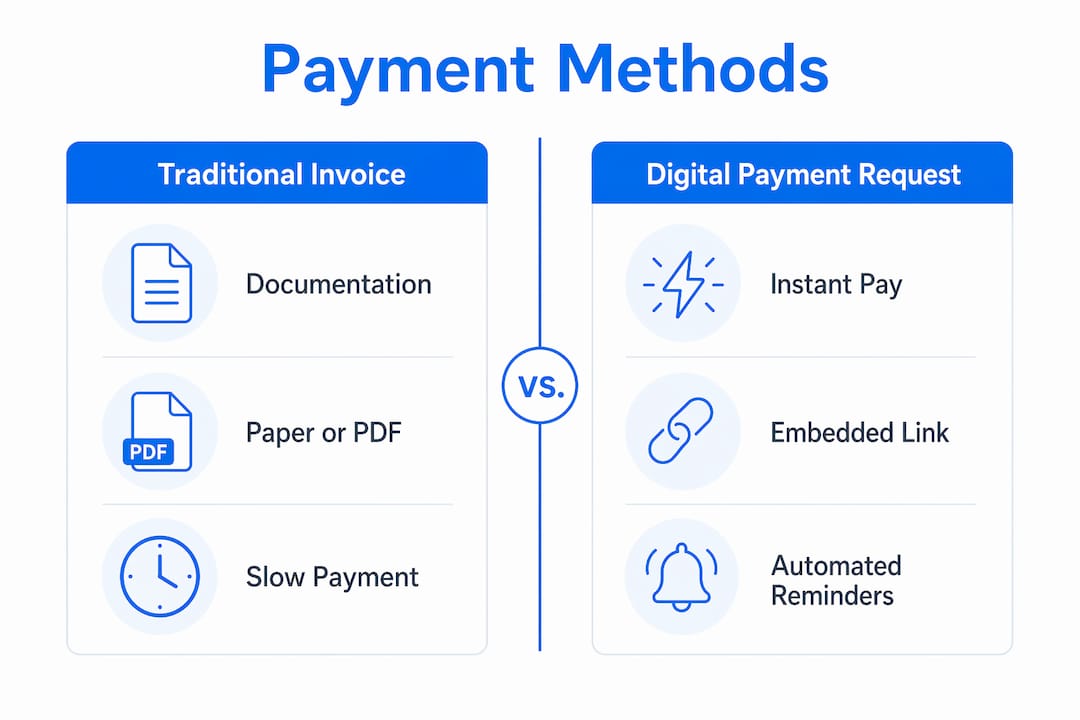
| Feature | Traditional Invoice | Digital Payment Request |
|---|---|---|
| Primary purpose | Documentation and bookkeeping | Immediate payment collection |
| Payment method | Separate, manual step | Embedded directly in the message |
| Delivery format | PDF via email or mail | SMS, email, WhatsApp, QR code |
| Time to payment | Days to weeks | Minutes to hours |
| Best use case | Formal contracts, detailed billing | Quick jobs, deposits, repeat clients |
| Record keeping | Manual reconciliation required | Auto-syncs with accounting software |
Invoices focus on documentation while payment requests prioritize speed. The smartest approach combines both. Send a formal invoice for your records and your client’s accounting department, but embed a “Pay Now” link directly in it. That way you get the paper trail and the fast payment.
For a freelance graphic designer finishing a logo project, a payment request sent via SMS the moment the final file is delivered is faster and more effective than a PDF invoice that sits in an inbox for a week. For a contractor billing a corporate client who needs a formal record for their accounts payable team, a detailed invoice is still the right tool, ideally with a payment link attached.
What tools support digital payment requests?
The market for payment request platforms has grown significantly. Here are the most relevant options for freelancers and small service providers.
Shuttle generates branded payment links and supports SMS, email, and WhatsApp delivery. It is built specifically for service businesses that need fast, trackable payment collection without a full billing suite.
Prommt focuses on pay-by-link for professional services. It supports multiple payment methods and includes real-time tracking so you always know where a payment stands.
Stripe Links gives you a shareable URL tied to a Stripe checkout page. It supports cards, wallets, and bank debits, and integrates directly with Stripe’s broader payment infrastructure. Setup takes minutes.
PayPal and Square both offer payment request features built into their existing platforms. PayPal’s “Request Money” tool and Square Invoices both embed payment options and send reminders automatically.
Pro Tip: Before picking a platform, check whether it integrates with the accounting software you already use. A tool that syncs with QuickBooks or Xero saves hours of manual reconciliation every month.
Key features to look for in any platform:
- Branded checkout pages that look professional to clients
- Support for cards, ACH transfers, and digital wallets
- Automated reminders and receipts that reduce follow-up work
- Real-time payment tracking and status updates
- Integration with QuickBooks, Xero, or your preferred accounting tool
- Multi-channel delivery via SMS, email, or WhatsApp
Security matters too. Look for platforms that are PCI DSS compliant and use tokenization to protect card data. Reputable platforms handle this automatically, but it is worth confirming before you send your first request.
Key takeaways
A digital payment request is the fastest, cleanest way for freelancers and small service providers to collect payment, combining instant delivery, embedded checkout, and automatic record keeping in one message.
| Point | Details |
|---|---|
| Core definition | A payment request is an electronic message with an embedded payment link sent via SMS, email, or WhatsApp. |
| Process speed | Five steps from creation to confirmed payment, with no manual reconciliation required. |
| Invoice vs. request | Invoices document; payment requests collect. Combining both gives you speed and a paper trail. |
| Tool selection | Stripe Links, Prommt, Shuttle, PayPal, and Square all support payment requests with multi-channel delivery. |
| Unified records | Avoid consumer apps like Venmo or Cash App for business billing. Fragmented tools break your financial records. |
The patchwork problem nobody talks about
Here is what I have seen over and over with freelancers and small service providers: the payment tool problem is not about technology. It is about habits.
Most people start out using whatever is easiest. Venmo for one client, Zelle for another, Cash App for a third. It feels fine in the moment. Then tax season arrives, and you are manually piecing together transactions from three different apps, none of which categorize by client or project. Freelancers using multiple consumer apps face exactly this reconciliation nightmare, and it costs real time and real money.
The other thing I notice is that consumer payment apps signal something to clients. When a professional service provider asks to be paid via Venmo, it reads as informal. That informality can subtly affect how seriously a client takes your payment terms. A branded checkout page with your business name on it sends a different message entirely.
My honest recommendation: pick one platform and use it for everything. Not because switching is hard, but because consistency is what builds clean records. You want to look at your payment history six months from now and see a clear picture, not a puzzle.
The best time to make this switch is before you grow, not after. Fixing fragmented records at scale is painful. Starting with a unified system when you have ten clients is easy.
— Carrie Cash
Stop chasing payments. Start using Tendr.me.
If you are still texting clients your Venmo handle or emailing PDF invoices and hoping for the best, there is a better way.
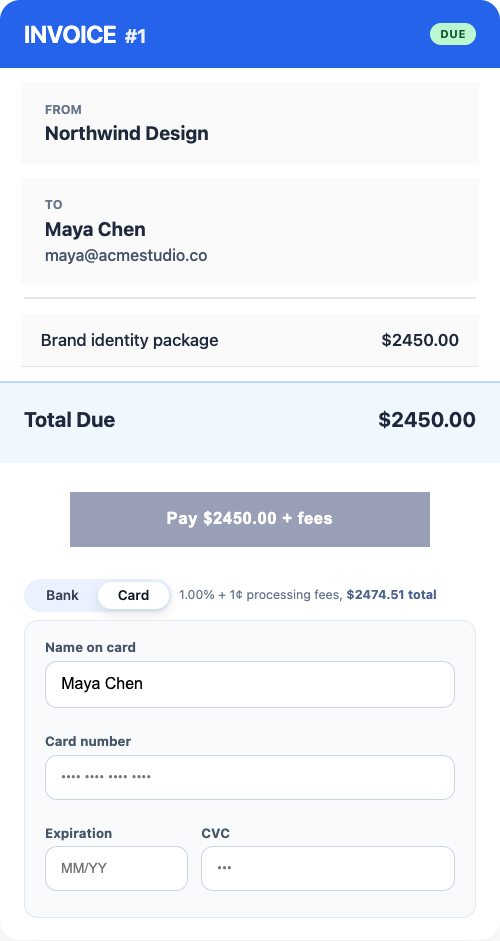
Tendr.me is built for exactly this situation. You can send professional payment requests, track paid and pending invoices, and keep your records in one place without piecing together Venmo, PDF invoices, and manual follow-up.
If you want a cleaner, more professional way to request payment, try Tendr.me.
FAQ
What is a digital payment request in simple terms?
A digital payment request is an electronic message, sent via SMS, email, or WhatsApp, that contains a direct link for your client to pay you immediately. It removes the need for a separate invoice or manual bank transfer.
How is a mobile payment request different from a regular invoice?
A mobile payment request embeds the payment method directly in the message so the client pays in one click. A traditional invoice is a document that requires the client to take a separate action to pay.
What platforms are best for sending digital payment requests?
Stripe Links, Prommt, Shuttle, PayPal, and Square all support digital payment requests with multi-channel delivery and automatic confirmation. The best choice depends on whether you need accounting software integration.
Is it safe to send payment requests via SMS or WhatsApp?
Yes, when you use a PCI DSS compliant platform. The link opens a secure, encrypted checkout page. Your client’s card data never passes through the messaging channel itself.
Why should freelancers avoid using Venmo or Cash App for business payments?
Consumer apps fragment your financial records and make reconciliation difficult at tax time. A unified payment request platform keeps all transactions in one place and supports clean bookkeeping.