Billing Workflow Explained for Small Business Owners

A billing workflow is the end-to-end sequence of tasks and data flows that converts services rendered into payments received. It is not just a billing process. The distinction matters: a billing process describes individual tasks, while a billing workflow defines who does what, when, and how data moves between roles and systems. For small business owners and service providers, getting this right determines how fast you get paid, how professional you look, and how much revenue you keep. Tools like invoicing software, project milestone tracking, and digital signatures all live inside this workflow.
What is a billing workflow, step by step?
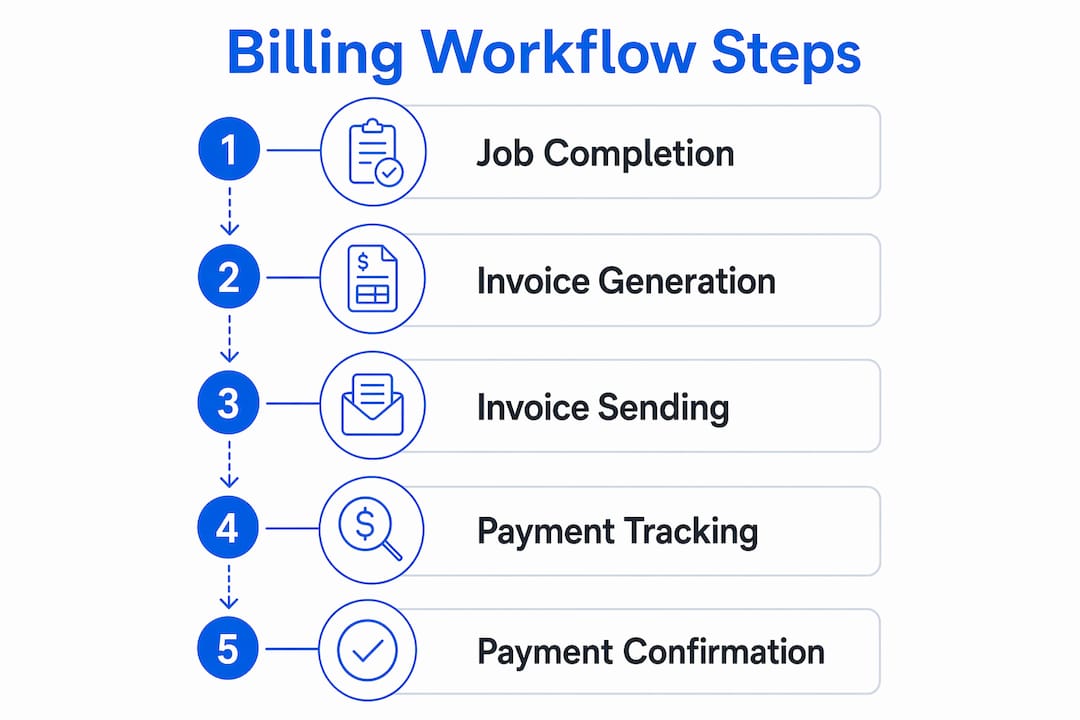
A professional billing workflow starts before you ever pick up a tool or show up to a job. It begins with a signed client agreement that spells out payment terms, billing schedule, and scope. That agreement is the foundation everything else builds on.
Here are the core steps in order:
- Client agreement and payment terms — Define scope, rates, and billing schedule before work begins. This protects both parties and sets expectations.
- Work documentation — Capture what was done, when, and by whom. Field workers use mobile apps and photos. Office-based providers use time tracking tools.
- Invoice generation — Pull documented work into an invoice. The best setups do this automatically when a milestone or job is marked complete.
- Invoice delivery — Send the invoice to the right contact, in the right format, at the right time. Email PDF, digital invoice link, or in-app delivery all work.
- Payment tracking — Monitor whether the invoice was opened, is pending, or is overdue. This step is where most small businesses fall apart.
- Follow-up and reconciliation — Send reminders for overdue invoices and match payments to records once received.
Sending invoices promptly after job completion reduces average payment time to about 51.63 days. Delays in invoicing push that number significantly higher. Every day you wait to send an invoice is a day added to your payment cycle.
Pro Tip: Set up your workflow so invoice generation is triggered automatically when a job is marked complete or a milestone is approved. This removes the most common delay in the entire sequence.

How does a billing workflow differ across business types?
The core steps stay the same, but the details shift depending on your business model. Here is how three common small business scenarios compare.
| Business Type | Key Workflow Trigger | Biggest Risk | Critical Control Point |
|---|---|---|---|
| Custom builder / contractor | Project milestone completion | Scope creep and undocumented changes | Milestone sign-off before invoice |
| Field service worker | Job completion onsite | Gap between field and office records | Digital signature at time of service |
| Professional services | Logged hours or deliverable | Unbilled time and missed work | Time tracking linked to invoicing |
Custom projects and construction billing
For custom builders, a progress billing workflow ties invoices directly to project milestones. A typical construction billing milestone checklist includes foundation completion, framing, rough-in, drywall, and final walkthrough. Each milestone triggers an invoice for a defined percentage of the total contract. This approach protects cash flow across long projects and gives clients a predictable schedule.
Scope changes are the biggest threat to billing accuracy on custom projects. When a client requests changes mid-project, those changes must be documented and priced before work continues. Linking billing directly to project management eliminates scope creep by syncing changes immediately into your billing system.
Field workers and trade job billing
For plumbers, electricians, HVAC techs, and other field service workers, the billing workflow lives largely on a mobile device. Field service invoicing software automates billing from job documentation to customer invoicing, linking field operations directly to finance. Workers capture photos, log parts used, collect a digital signature, and send an invoice before leaving the job site.
Key steps in a trade job billing workflow include:
- Log job details and materials used onsite
- Collect customer signature on a digital device
- Generate invoice immediately from job data
- Send invoice via email or text before leaving
- Track payment status from the office
What are the most common billing workflow pitfalls?
Most payment problems trace back to gaps in the workflow, not bad clients. Knowing where those gaps live helps you close them before they cost you money.
Delay between job completion and invoicing. This is the single most damaging habit in small business billing. The longer you wait, the more the client’s memory of the work fades, and the lower your priority becomes in their payment queue.
Manual data entry errors. Retyping job details into an invoice creates mistakes. A high-performing billing workflow minimizes manual data entry through integration between service delivery and accounting systems. For mid-size agencies, eliminating manual entry avoids revenue losses that can reach hundreds of thousands of dollars annually.
Undocumented scope changes. If a client asks for extra work and you do it without updating the agreement, you may not get paid for it. Document every change in writing before starting.
No payment tracking system. Sending an invoice and hoping for the best is not a workflow. You need visibility into what is paid, what is pending, and what is overdue.
Most payment disputes arise from administrative gaps between field completion and office invoicing. Requiring digital signatures onsite eliminates the top cause of those disputes.
Pro Tip: Never leave a job site without a signed digital record of what was completed. That signature is your protection if a client disputes the invoice later.
How do you optimize your billing workflow for faster payments?
Faster payments come from removing friction at every step. Here is a practical sequence for tightening your workflow.
- Invoice immediately. Send the invoice the same day the job is done or the milestone is approved. Do not batch invoices at the end of the month.
- Agree on billing schedules upfront. Billing cycles are risk management tools. Agreeing on milestone, subscription, or time-and-materials billing before work starts protects both you and your client.
- Automate invoice triggers. Link invoice generation to project milestones or job completion status. This removes the manual step that most people skip or delay.
- Use automated payment reminders. Set reminders to go out at 7 days, 14 days, and 30 days after the invoice due date. Keep the tone friendly and factual.
- Present clean, clear invoices. An invoice that is easy to read and understand gets paid faster. Include the job description, date, amount, and payment instructions on one page.
“Billing should be embedded as a natural extension of project delivery, not a separate administrative afterthought. This approach improves accuracy and payment timing.” — Handl Billing, 2026
Effective billing workflows also reconcile service delivery data automatically into accounting ledgers. That means less time at the end of the month matching payments to records, and better visibility into your cash position at any moment.
For service providers who want a real-world example of how this plays out week to week, the housekeeping billing workflow guide shows how recurring service businesses can standardize their invoicing schedule without adding overhead.
Key takeaways
A billing workflow is the structured sequence that connects service delivery to payment, and closing the gaps in that sequence is the fastest way to improve cash flow.
| Point | Details |
|---|---|
| Workflow vs. process | A billing workflow defines who does what and when across roles and systems, not just individual tasks. |
| Invoice timing matters | Sending invoices promptly reduces average payment time to about 51.63 days. |
| Milestone billing for builders | Tying invoices to project milestones protects cash flow and reduces scope creep on custom projects. |
| Digital signatures prevent disputes | Collecting a customer signature onsite eliminates the top cause of payment disputes for field workers. |
| Automation closes the gaps | Linking invoice generation to job completion removes the most common delay in the billing sequence. |
The part most small businesses skip entirely
Here is what I have seen over and over: small business owners treat billing as something they get to when they have time. They finish a job, go home, and tell themselves they will send the invoice tomorrow. Tomorrow becomes Friday. Friday becomes next week. By then, the client has moved on mentally, and you are chasing a payment that should have been routine.
The real problem is not laziness. It is that billing feels separate from the work. You are a plumber, a builder, a landscaper. Invoicing feels like paperwork, not your job. But that framing costs you money every single month.
The businesses I have seen get this right treat billing as the last step of every job, not a separate administrative task. The invoice goes out before the tools go back in the truck. The milestone gets marked complete, and the invoice generates automatically. That mindset shift, more than any software, is what actually fixes cash flow.
I will also say this: if you are still collecting payments through Cash App, Venmo, or Zelle, you are not running a billing workflow. You are running a favor exchange. Those tools are fine for splitting dinner. They are not built for tracking payment history, reconciling records, or presenting a professional face to clients. The moment a client questions a payment and you have to scroll through your Venmo feed to find it, you have lost credibility. You can track landscaping client payments or any recurring service far more cleanly with a purpose-built tool.
Start simple. Get the sequence right. The software is the easy part.
— Carrie Cash
Stop chasing payments. Let Tendr.me do the work.
If your billing workflow right now is a mix of text messages, Venmo requests, and spreadsheets, Tendr.me was built for exactly where you are.
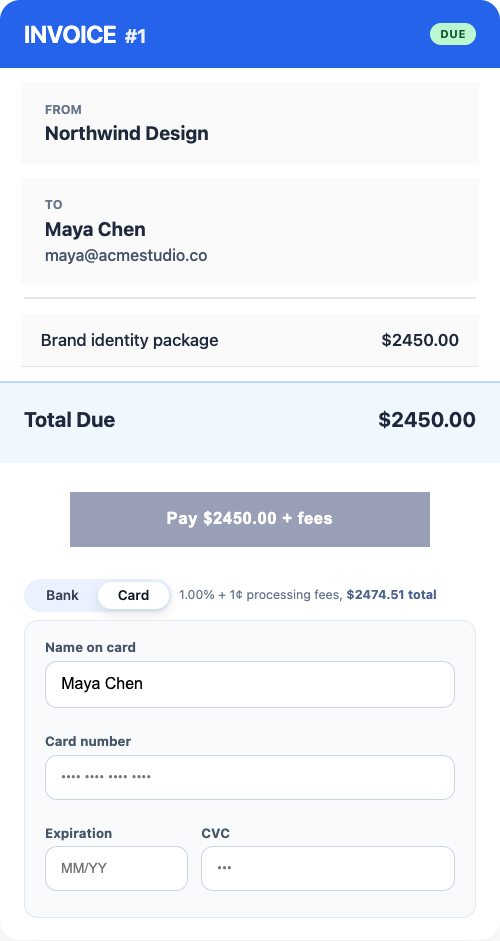
Tendr.me is a completely free invoicing and payment platform built for small service providers. It gives you a cleaner way to send invoices, track payment status, and keep billing records in one place without adding accounting complexity or monthly fees. If you are ready to run a real billing workflow, Tendr.me gets you there in minutes.
FAQ
What is a billing workflow in simple terms?
A billing workflow is the step-by-step sequence a business follows to convert completed work into a paid invoice. It covers everything from client agreements and work documentation to invoice delivery, payment tracking, and reconciliation.
How does a billing workflow work for field service workers?
Field service workers document the job onsite using a mobile device, collect a digital customer signature, generate an invoice from that data, and send it before leaving. This approach closes the gap between field completion and office invoicing, which is the leading cause of payment disputes.
What is milestone billing and when should i use it?
Milestone billing ties invoice generation to specific project completion points rather than calendar dates. It works best for custom builders, contractors, and any project with a defined scope and multiple phases, since it protects cash flow and gives clients a predictable payment schedule.
How do i reduce late payments in my billing workflow?
Send invoices the same day work is completed, agree on payment terms before the job starts, and set up automated reminders at 7, 14, and 30 days past due. Prompt invoicing alone can reduce average payment time to around 51.63 days.
What tools support a professional billing workflow for small businesses?
Purpose-built invoicing platforms like Tendr.me handle invoice creation, delivery, payment tracking, and record-keeping in one place. They replace fragmented consumer tools like Cash App or Zelle with a unified system that supports professional client communication and clean financial records.