Client Payment History: What Small Providers Must Know

A client payment history is a chronological record of every payment-related event between you and a client, including invoice reference, payment amount, date, method, and status. Think of it as the paper trail for every dollar that moves through your business. Without it, you are guessing. Small service providers who keep a clean payment history collect faster, dispute less, and stay on top of cash flow without needing a full bookkeeping operation.
What is a client payment history, and what does it include?
A client payment history goes beyond a simple invoice summary. An invoice tells you what was owed. A payment history tells you what happened after the invoice went out.
The essential fields in a payment record include:
| Field | Purpose |
|---|---|
| Invoice reference number | Links the payment to a specific job or service |
| Client name | Identifies who made the payment |
| Payment amount | Confirms the exact amount received |
| Payment date | Records when the transaction occurred |
| Payment method | Notes whether it was card, check, cash, ACH, or other transfer |
| Status | Shows whether the payment is pending, completed, failed, or reversed |
Each of these fields does a job. The invoice reference number, for example, lets you match a deposit to the exact invoice it covers. Without that, a payment hitting your account can easily turn into a guessing game.

Payment history is also different from a balance sheet or account summary. A balance tells you what is owed right now. A payment history tells you the full story: what was billed, what was paid, when it happened, and whether it actually settled.
How does payment status tracking improve financial management?
Payment status is the heartbeat of a payment record. Every payment moves through a lifecycle, and knowing where it sits keeps your books accurate and your client conversations cleaner.
Common statuses include:
- Received: The payment has arrived but has not yet been matched to an invoice.
- Posted: The payment has been applied to the correct invoice in your records.
- Pending: The transaction is still processing and has not fully cleared.
- Completed: The payment has fully settled and the invoice can be treated as closed.
- Failed: The transaction did not go through.
- Reversed: A previously completed payment was later undone.
The most dangerous assumption in small-business billing is treating a payment as final before it has actually settled. A payment reversal can turn what looked like collected revenue back into an open problem.
Best practices for status tracking:
- Update invoice status when a payment posts, not just when it first appears.
- Log each status change as a separate event instead of silently overwriting it.
- Review payment history weekly to catch reversals, returns, and gaps early.
- Do not mark an invoice closed until the payment has truly completed.
- Use alerts for failed payments so they are not discovered by surprise.
Pro Tip: Run a manual reconciliation between your bank statement and your payment history at least once a week. That catches the gap between what your software says and what your bank actually holds.
How do you check and maintain accurate client payment histories?
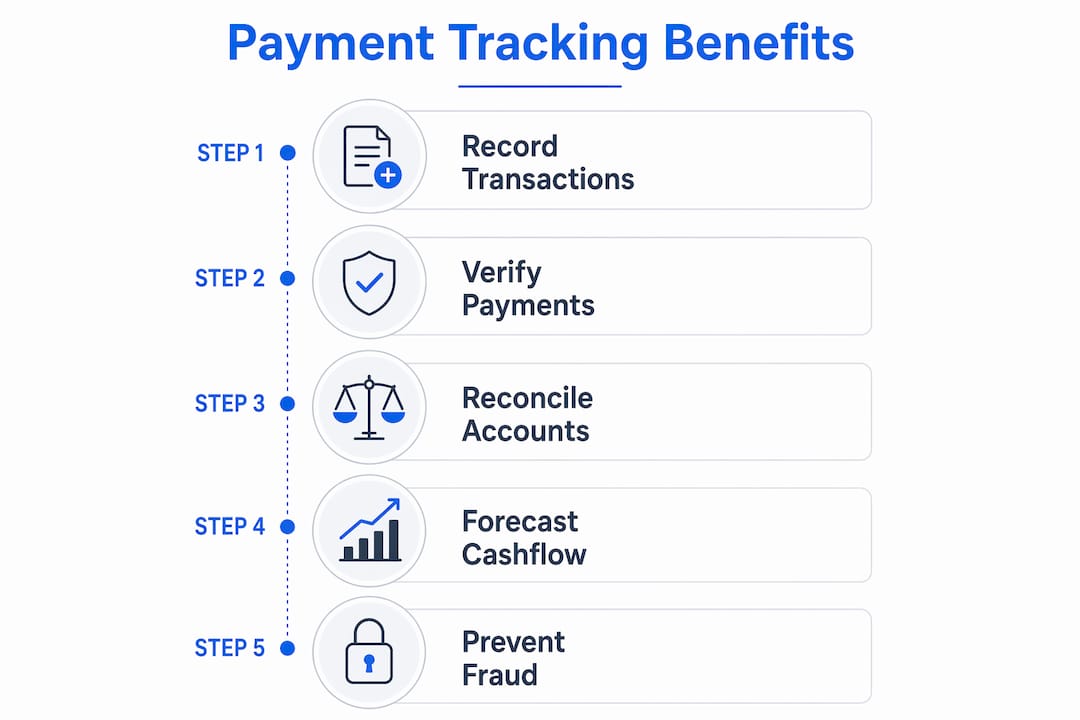
Checking your payment history starts with having one place where transactions live. Fragmented tools like Venmo, Cash App, and Zelle each hold a piece of your payment data, but none of them connect cleanly to your invoice record. That fragmentation is where most small-provider billing headaches begin.
Here is a practical process for maintaining accurate records:
- Choose one billing platform for client invoices and payment records. Tools like Tendr.me can keep payments tied to specific invoices automatically.
- Log every payment the day it arrives. Waiting until month-end creates avoidable gaps.
- Reconcile weekly. Compare your payment history report to your bank statement line by line.
- Update invoice statuses in real time. When a payment posts, close the invoice. When a payment fails, reopen it and note the reason.
- Archive completed records monthly. Keep a clean history for each client so tax season and disputes stay manageable.
The difference between manual and digital tracking is significant:
| Tracking Method | Advantages | Limitations |
|---|---|---|
| Spreadsheet | Free, flexible, customizable | Prone to human error, no automation |
| Digital billing tool | Automatic logging, status updates, invoice matching | Requires setup and consistent use |
Automation reduces manual errors and keeps payment history cleaner without requiring you to touch every transaction by hand.
Pro Tip: If you still use spreadsheets, add a “Last verified” column. That forces you to confirm each record instead of assuming it is still right.
What are the most common mistakes in managing payment records?
Poor payment history management costs small providers real money. Most of the mistakes come down to one habit: treating billing as something to deal with later.
The most common errors are:
- Ignoring failed payments. If a failed payment does not get reflected back into the invoice record, your receivables report becomes fiction.
- Not logging reversals. A chargeback or bank clawback that goes unrecorded creates a ghost balance.
- Overwriting statuses instead of logging changes. That destroys the audit trail when disputes arise.
- Mixing personal and business payment tools. That makes clean reporting and reconciliation much harder.
- Delaying invoice status updates. An invoice that stays open after payment is received distorts your cash flow picture.
The consequences go beyond messy books. Poor payment tracking leads to avoidable disputes, inaccurate receivables, and real cash flow mistakes.
Pro Tip: Set a calendar reminder every Friday to review open invoices. Any invoice older than 14 days with no payment activity deserves a real follow-up, not a guess.
What practical benefits does a detailed payment history provide?
A detailed client payment history does more than keep your books tidy. It gives you transactional visibility that helps prevent discrepancies and resolve disputes faster.
When a client says they already paid, a complete payment history lets you pull up the exact date, amount, method, and status of every transaction tied to that client in under a minute. You either confirm the payment and close the issue, or you resolve it with facts instead of memory.
Payment histories also help with cash flow forecasting. If a specific client consistently pays late, you can plan around that pattern instead of being surprised by it. For taxes, a clean chronological record of income tied to invoices is exactly the kind of documentation you want on hand.
Fraud prevention is another benefit. Tracking reversals as distinct events helps prevent false assumptions about what money is actually available.
Key takeaways
A complete client payment history is one of the most useful tools a small service provider has for reconciliation, dispute resolution, and cash flow visibility.
| Point | Details |
|---|---|
| Payment history definition | A chronological log of each payment event, including amount, date, method, invoice reference, and status. |
| Status tracking matters | Logging changes separately reduces mistakes around reversals, failed payments, and premature closures. |
| Digital tools beat loose manual tracking | Platforms like Tendr.me reduce the manual gaps that create billing confusion. |
| Reconcile weekly | Comparing payment history to your bank statement catches discrepancies before they become disputes. |
| History beats a simple balance snapshot | A payment history shows the full payment path, not just what is currently owed. |
Why most small providers get this wrong from day one
Most small service providers start with good intentions: stay organized, keep records clean, and follow up on late payments. Then real work shows up, and billing turns into the thing they will “fix later.”
The gap is usually not laziness. It is a tool and process problem. When the system is a mix of text messages, Venmo notifications, and a notes app, you do not really have a payment history. You have a pile of clues.
What actually works is starting with structure before you desperately need it. The providers with the cleanest records are not necessarily the most naturally organized. They are the ones who picked one tool early and kept using it consistently.
Payment history is not just for you, either. Clients trust providers who can send a clear record of what was paid, when, and for what. That transparency reduces disputes and makes you look more professional.
Start simple. Stay consistent. Your future self will thank you every tax season.
— Carrie Cash
Stop chasing payments. Start tracking them.
If you are ready to replace the patchwork of Cash App, Venmo, and Zelle with something that actually keeps records, Tendr.me is built for exactly that cleanup.
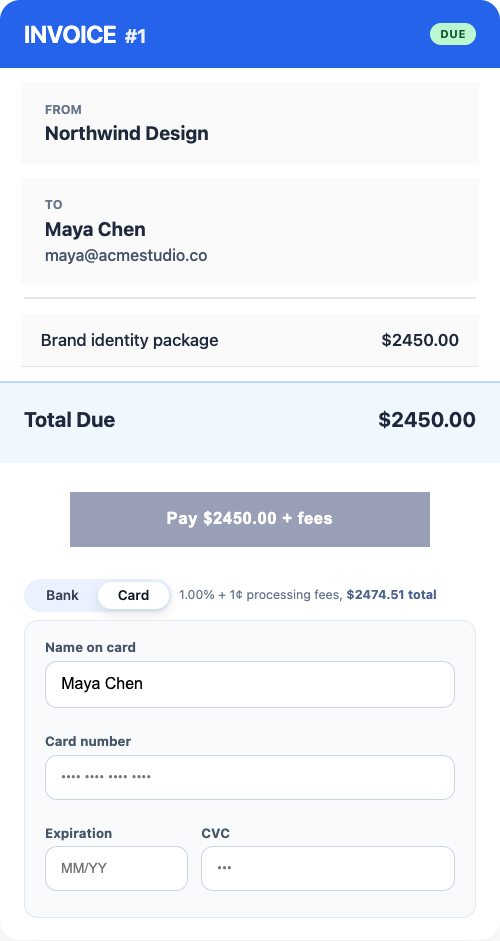
Tendr.me gives you a professional way to send invoices, collect payments, and maintain a clear history for every client. No accounting degree required. Just one place where invoices go out, payments come in, and the record stays readable.
FAQ
What is a client payment history?
A client payment history is a chronological record of all payment-related transactions between a provider and a client, including dates, amounts, methods, invoice references, and statuses.
How is a payment history different from an invoice?
An invoice documents what a client owes. A payment history records what actually happened after the invoice was sent, including whether the payment was received, posted, reversed, or failed.
How do I check my client payment history?
The cleanest way is to use a billing platform like Tendr.me that ties payments to invoices automatically. You can track it manually in a spreadsheet too, but that requires much more discipline to keep accurate.
What happens if I do not track failed payments?
Your receivables can show incorrect balances, and you may think an invoice is closed when the client still owes you money.
Why does payment history matter for taxes?
A clean payment history gives you documented income tied to dates and invoices, which makes tax filing and audit support much easier.